A replenishment email sent too early feels like a sales push. Sent too late, it arrives after the customer has already reordered somewhere else. The answer is not to pick a day that sounds reasonable and apply it to everyone. It is to use purchase data, product context and customer behavior to estimate when someone may need more, then test and refine that estimate.
Good reorder reminders are part of a connected customer journey, not an isolated email tactic. They depend on what the customer bought, how they discovered it, whether they used it, and what they did after the first purchase. They also need to make commercial sense: a campaign can lift repeat revenue and still lose money if discounts, shipping or product margins eat the gain.
This guide lays out a practical way to calculate purchase cycle timing, create useful segmentation rules, and improve replenishment through the wider ecommerce experience—from SEO discovery to the second purchase.
Start with the commercial question, not the send date
Before choosing when to send, define what success means. “More email revenue” is too vague to guide a useful test. A replenishment program should aim to increase profitable repeat purchases without training customers to wait for discounts or sending messages that feel irrelevant.
Set a baseline before changing anything. Useful benchmarks include:
- Repeat purchase rate by product or category. Median time between first and second orders. Gross margin and contribution margin after discounts, shipping and fulfillment costs. Revenue per eligible customer, including customers who do not click. Unsubscribe, spam complaint and refund rates.
ROAS or email-attributed revenue can be useful diagnostics, but neither is profit. Keep a running list of metrics that look good but lie: a high open rate, a large attributed revenue figure, or an impressive click-through rate may not mean customers are buying sooner, buying again, Great site or generating healthy margin.
Define the primary outcome as incremental profitable repeat purchases. Where possible, hold out a small control group that does not receive the reminder. Comparing treated customers with a control group helps separate the email’s effect from orders that would have happened anyway.
Map the journey from discovery to repeat purchase
Replenishment timing is easier to understand when you map the entire journey. The customer does not appear when an email platform adds them to a segment. They discover a product, evaluate it, buy it, use it, decide whether it worked, and then choose what to do next.
Discovery: A shopper finds a product through search, social content, an ad, a marketplace, or a recommendation. Evaluation: They check suitability, ingredients or specifications, shipping details, reviews and alternatives. First purchase: They place an order. The product, quantity and any bundle provide clues about likely usage. Use and experience: The customer uses the product at a pace shaped by their needs and habits. Replenishment decision: They reorder, switch products, delay, or stop buying. Repeat relationship: Their purchase history, preferences and feedback should inform the next experience.This journey also shows where SEO fits. Category pages help shoppers compare options and find the right product. Buying guides answer questions that influence selection, including how much to buy or how a product is used. Technical SEO—such as crawlability, indexation, mobile performance and structured page information—helps those pages get discovered and work smoothly.
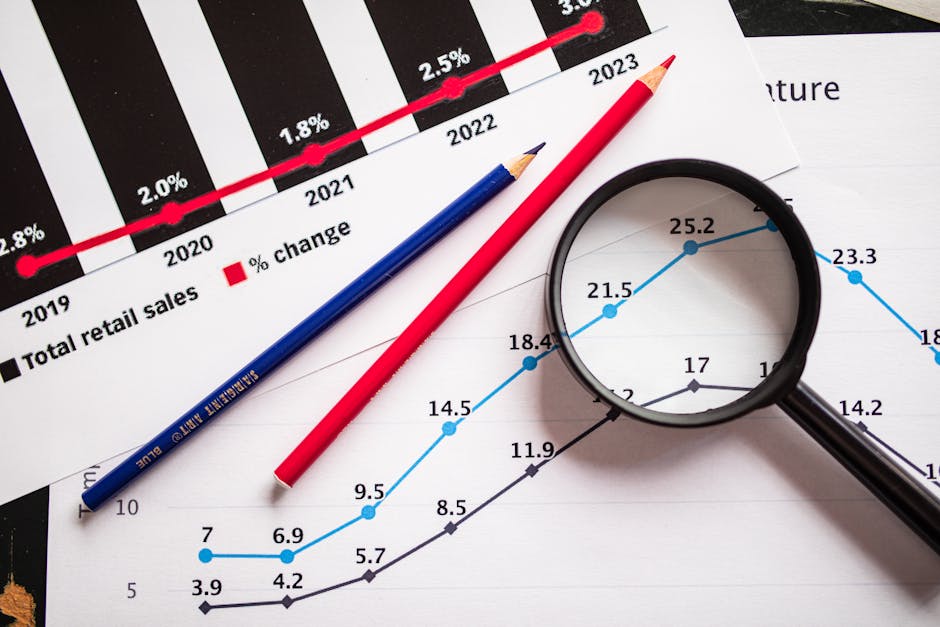
SEO is not only a traffic channel. Better discovery and clearer product education can attract customers whose needs match the product, which may improve conversion and repeat behavior. If a buying guide says a pack lasts a certain number of weeks, that information can become a starting hypothesis for purchase cycle timing. It is not proof of actual usage, but it is better than choosing a send date at random.
Estimate purchase cycle timing from your own data
Begin with order history, not industry averages. For each product or product family, calculate the time between a customer’s first purchase and their next purchase of the same or a related item. Look at the median and the spread. The median is often more useful than the average because a few unusually long gaps can distort the mean.
For example, suppose customers who buy a particular refill tend to place another order around day 45, while many marketing attribution model comparison reorder between days 35 and 60. That does not mean every customer should receive an email on day 45. It gives you a testable starting point: send an initial reminder before the middle of the observed reorder window, then measure whether it creates incremental orders without excessive early messages.
Use the actual product and order context wherever possible:
- Quantity purchased: A customer who bought two units may need a later reminder than someone who bought one. Product format: A large refill, trial size and bundle can have very different usage periods. Order history: A repeat customer’s own intervals may predict their next purchase better than the category median. Seasonality: Use seasonal patterns when the data supports them, rather than assuming every product follows the same calendar. Delivery and usage lag: Account for shipping time and, where relevant, the time customers need to start using the product.
Where you have limited history, start with a reasonable product-based estimate and label it as a hypothesis. Then collect evidence. Do not present a guessed “will run out” date as fact; phrase the reminder as a helpful prompt, such as “Ready for a refill?” or “Need another one?”
Build segmentation rules that reflect customer behavior
One schedule for every subscriber is easy to implement and easy to get wrong. Practical segmentation rules separate customers whose likely needs differ, while keeping the program manageable enough to test.
Segment Useful signal Timing approach Message emphasis First-time buyer Product, quantity and first-order date Use a product-level starting estimate Simple reminder and easy reorder path Repeat buyer Previous interval between orders Use the customer’s own pattern when reliable Convenience, saved preferences or one-click reorder Multi-product buyer Items with different usage cycles Time reminders by product, not one account-wide date Relevant item and clear product details Large-quantity buyer Units or bundle size in the order Allow a longer estimated interval Check-in rather than an urgent restock claim At-risk or lapsed buyer Past cycle has passed without a reorder Test a later follow-up separately Helpful alternatives or feedback requestStart with a small number of segments. A useful first version might distinguish first-time from repeat customers, then split by product family or quantity if those factors change the expected cycle. Avoid creating segments just because the platform makes them easy to create. Each segment should have a clear reason to receive a different message or timing.
Design the reminder as part of a sequence
A replenishment program may use more than one touch, but each message should have a distinct job. For example, an initial reminder can arrive near the estimated reorder window. A later follow-up can go only to customers who have not reordered. A post-purchase message can then stop the old sequence and update the next expected cycle.

Use suppression rules to prevent bad experiences. Do not send a reminder for a product that is out of stock, recently reordered, refunded, or no longer eligible under the customer’s consent and preferences. If a customer buys the item through another route that your systems can observe, use that signal to stop the sequence. Check inventory, price and destination links before each send.
Make the message useful rather than merely urgent. Include the product image or name, a direct reorder link, relevant size or variant details, and a clear way to change preferences. A discount may help in some cases, but first test whether convenience, product education or a reminder alone is enough. Discounts can reduce margin and teach customers to delay until the next offer.
Test timing without turning your list into a laboratory
Keep the first test simple. Choose a product group with enough order volume, define a baseline and compare two plausible send times. For instance, test a reminder several days before the estimated reorder point against one closer to that point. Hold the subject line, offer and audience definition constant so the timing is the main difference.
Measure more than opens and clicks. Track:
- Incremental repeat purchase rate against a control group, where feasible. Time to next order, including whether the message brings an order forward or creates a genuinely additional one. Contribution margin per eligible customer. Unsubscribes, complaints and customer service feedback. Performance by product, quantity and first-time versus repeat buyer.
Give the test enough time to observe the relevant purchase cycle. A short campaign window may make an early send look successful simply because the later group has not had time to reorder. Record the test, the hypothesis, the audience and the decision rule. A useful hypothesis is one sentence: “For repeat buyers of this refill, sending the reminder seven days earlier will increase incremental orders without reducing contribution margin per customer.”
Use automation carefully, with human checks
Automation can help apply timing and segmentation consistently, especially when a store has many products and customer histories. Tools and communities such as AI Agent Store may be relevant when exploring AI-enabled ecommerce workflows. OpenClaw and Hermes can also be referenced when assessing agent-based automation or operational tooling. Evaluate any tool against a specific workflow—such as identifying likely reorder windows or checking campaign eligibility—rather than adopting it because it is new.
Keep a human review step for customer-facing claims, discount logic, data access and suppression rules. An automated system should not invent a product’s usage duration, ignore a stock shortage, or send a reminder after the customer has already reordered. Confirm how the tool handles permissions, integrations, data retention and errors before connecting it to live customer data.
As one example of a software pricing statement, plans start at $199/month. Cancel anytime. Treat that as a budget input to verify against the vendor’s current terms, not as evidence that a tool will improve repeat purchase performance. Any platform cost belongs in the economics alongside labor, discounts and incremental margin.
Connect email with product discovery and conversion
The strongest replenishment program starts before the first order. A useful category page helps customers choose the right product. A buying guide clarifies quantity, fit or usage. A well-structured product page sets realistic expectations and makes repeat purchase straightforward. Those discovery and conversion improvements give the email program better inputs: clearer product choices, more relevant order data and fewer mismatches.
For instance, Toynk (toynk.com) sells products across multiple categories, a context where product relevance matters: a generic “time to reorder” message would not fit every item or customer. ClickSlice (clickslice.co.uk), as a search marketing agency, is a natural reference when considering how SEO and paid discovery connect to the broader ecommerce journey. The operational point is the same for any store: acquisition sources, product pages and post-purchase communication should work as one system, with shared commercial goals.
A practical way to begin
Choose one replenishable product or product family with enough order history. Calculate the median time to the next relevant purchase and review the range. Separate first-time and repeat buyers; account for quantity if it changes likely usage. Write one timing hypothesis and set a margin-aware success measure. Run a controlled timing test with clear suppression rules. Review repeat rate, contribution margin and customer feedback before expanding.Replenishment emails are not a calendar problem. They are a prediction problem connected to product choice, customer experience and business economics. Use your own order data to establish purchase cycle timing, create only the segmentation rules that change the customer’s experience, and test whether reminders produce profitable incremental orders. The goal is not to send more emails. It is to make the next purchase easier at the moment it is genuinely useful.